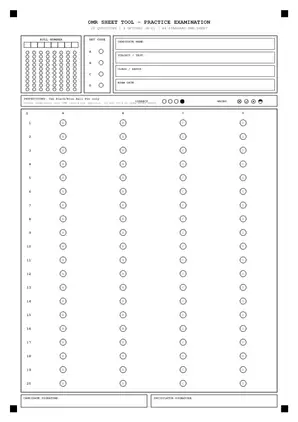
20 Questions 4 Options (A-D)
1 Columns
20 Questions OMR Sheet PDF (4 Options A-D, Printable A4)
Ready-to-print A4 OMR sheet with 20 questions, 4 options (A–D), 8-digit roll number grid, set code, and candidate info block.
Ready-to-print 20 to 300 question OMR answer sheets for MPSC, Police Bharti, TET, Scholarship, NMMS, NEET, and JEE practice tests. No sign-up, no watermarks.
Last updated: By omrsheettool, Founder
How many questions do you need on your OMR sheet?
High-contrast pure black-and-white A4 PDFs engineered for reliable printing and scanning.
Ready-to-print A4 OMR sheet with 20 questions, 4 options (A–D), 8-digit roll number grid, set code, and candidate info block.
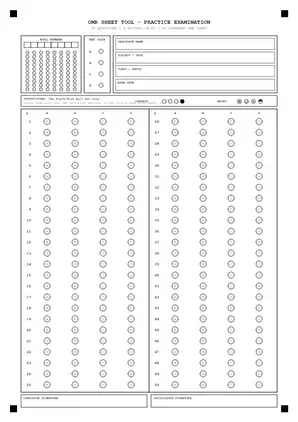
Ready-to-print A4 OMR sheet with 50 questions, 4 options (A–D), 8-digit roll number grid, set code, and candidate info block.
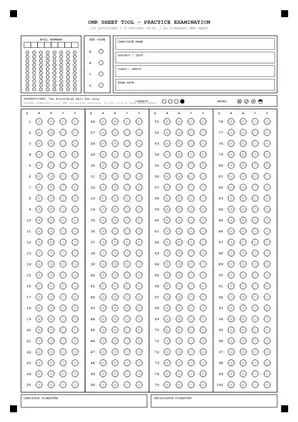
Ready-to-print A4 OMR sheet with 100 questions, 4 options (A–D), 8-digit roll number grid, set code, and candidate info block.
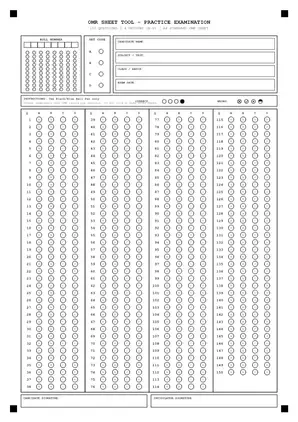
Ready-to-print A4 OMR sheet with 150 questions, 4 options (A–D), 8-digit roll number grid, set code, and candidate info block.
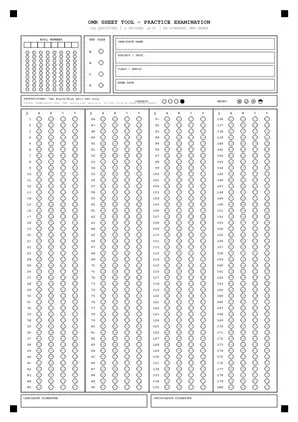
Ready-to-print A4 OMR sheet with 180 questions, 4 options (A–D), 8-digit roll number grid, set code, and candidate info block.
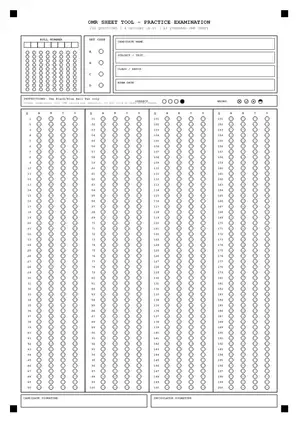
Ready-to-print A4 OMR sheet with 200 questions, 4 options (A–D), 8-digit roll number grid, set code, and candidate info block.
Important Notice: These are original generic practice layouts for mock tests, not official exam board forms.
100 practice rows
Use this 100-row A4 sheet to practise recording answers for MPSC Prelims & Combined Practice. It is an independently generated practice template, not an official answer sheet. Match your exercise to the verified scope below. Where verification is pending, do not treat the suggested sheet size, timer or scoring settings as examination rules.
100 practice rows
Use this 100-row A4 sheet to practise recording answers for Police Bharti Written Exam. It is an independently generated practice template, not an official answer sheet. Match your exercise to the verified scope below. Where verification is pending, do not treat the suggested sheet size, timer or scoring settings as examination rules.
150 practice rows
Use this 150-row A4 sheet to practise recording answers for TET & CTET (Paper I & II). It is an independently generated practice template, not an official answer sheet. Match your exercise to the verified scope below. Where verification is pending, do not treat the suggested sheet size, timer or scoring settings as examination rules.
75 practice rows
Use this 75-row A4 sheet to practise recording answers for 5th & 8th Scholarship Exam (PUP / PSS). It is an independently generated practice template, not an official answer sheet. Match your exercise to the verified scope below. Where verification is pending, do not treat the suggested sheet size, timer or scoring settings as examination rules.
90 practice rows
Use this 90-row A4 sheet to practise recording answers for NMMS Exam (Class 8 MAT & SAT). It is an independently generated practice template, not an official answer sheet. Match your exercise to the verified scope below. Where verification is pending, do not treat the suggested sheet size, timer or scoring settings as examination rules.
100 practice rows
Use this 100-row A4 sheet to practise recording answers for Jawahar Navodaya Vidyalaya (JNVST). It is an independently generated practice template, not an official answer sheet. Match your exercise to the verified scope below. Where verification is pending, do not treat the suggested sheet size, timer or scoring settings as examination rules.
100 practice rows
Use this 100-row A4 sheet to practise recording answers for MHT-CET (PCM / PCB Coaching Practice). It is an independently generated practice template, not an official answer sheet. Match your exercise to the verified scope below. Where verification is pending, do not treat the suggested sheet size, timer or scoring settings as examination rules.
180 practice rows
Use this 180-row A4 sheet to practise recording answers for NEET UG Medical Entrance. It is an independently generated practice template, not an official answer sheet. Match your exercise to the verified scope below. Where verification is pending, do not treat the suggested sheet size, timer or scoring settings as examination rules.
Choose from pre-built 20–300 question templates or customize institute name, roll digits, and set codes.
Print on standard 70–80 GSM white A4 paper using any home or office laser/inkjet printer.
Compute negative-marking scores instantly or batch-grade an entire classroom via CSV in your browser.
An OMR sheet is a paper answer form with rows of bubbles. OMR means Optical Mark Recognition. Each row stands for one question, and each bubble stands for an answer choice. You shade your choice, then compare the marked sheet with a key by hand or with a suitable grading tool.
Write your details first, then shade one answer bubble in each row. Check the question number before you mark the sheet. Fill the circle neatly and keep ink within its edge. Follow the pen rules on your test paper, and practise with a short set before a full timed test.
Use the pen or pencil stated in your test instructions. There is no single rule that applies to every OMR test. For home practice, try your chosen pen on a spare sheet. Check that it makes a clear mark without smears, leaks, or damage to the paper.
Check the row number, mark just one choice when the test calls for one, and keep the sheet clean. A correct answer in the wrong row can spoil your score. Practise checking the question number each time you move from the paper to the sheet, especially after a skipped question.
Open the PDF and choose A4 paper with actual size or 100% scale in the print settings. Print one sheet first. Check that no rows or corner marks are cut off. Keep that test print beside the preview so you can spot a change in size before making more copies.
Compare each marked answer with the key for that same test. Count correct, wrong, and blank answers, then apply the marks and penalty in your test rules. You can enter responses in the score tool or use a matching paper overlay. Check unclear marks by hand before sharing the result.
An OMR sheet is a printed answer form with fillable bubbles. OMR means Optical Mark Recognition. Each numbered row matches one question in your test. Fill the bubble beside your chosen answer. Teachers can compare these marks with an answer key. Our templates support classroom tests and exam practice.
Download a template matching your question count and answer options. Print on A4 paper at 100% scale. Check that all corner marks appear. Write your details before starting. Fill one bubble completely for each answer. Keep the sheet flat and clean. Check question numbers whenever you move between columns.
Keep a blank master copy for future tests. Match the answer key’s numbering before calculating marks. Count unanswered questions separately from incorrect answers. Use your test’s stated penalty instead of assuming every examination follows the same rules.
Choose the question count that matches your practice paper. Twenty questions suit short quizzes; fifty suit topic tests. Use one hundred for longer practice. Choose two hundred or three hundred for larger question sets. All templates use A4 paper. Check the preview because columns and bubble spacing vary between layouts.
Choose a question count and the number of answer options in the generator. Check the preview, then save the PDF and print one test page at actual size. Make sure the rows and corner marks are clear before printing more copies for your class or practice session.
| Questions | Best for | Columns | Print size |
|---|---|---|---|
| 20 | Class Unit Test, Daily Coaching Quiz | 1 | A4 (210 × 297 mm) |
| 50 | MHT-CET Mathematics, Semester MCQ Exam | 2 | A4 (210 × 297 mm) |
| 100 | 100-question classroom mock, Four-option answer practice | 4 | A4 (210 × 297 mm) |
| 150 | MAHA-TET / CTET Full Paper, State PCS Prelims | 4 | A4 (210 × 297 mm) |
| 180 | NEET Classic Pattern (180 Q) | 4 | A4 (210 × 297 mm) |
| 200 | 200-question coaching exercise | 4 | A4 (210 × 297 mm) |
Read your examination authority’s current instructions before using any practice sheet. Check permitted pens, answer rules, and marking schemes. These templates are practice materials. They do not replace official examination forms.
Tell us the question count or exam pattern you want us to add next.
Request a sheet by emailYes, the printable OMR sheet PDFs are free to download and print. Choose a ready template with 20–300 questions, or create a custom layout. No account is required, and ready templates contain no watermark. Print a test copy first to check the scale and margins.
Yes, the custom generator includes fields for your institute name and heading. Choose your question count, answer options, and roll number grid. Check the preview before downloading your PDF. Make a test print to confirm everything fits. The generator works inside your browser without requiring an account.
The PDF generator and score calculator process inputs inside your browser. They do not upload student details or answers to application servers. Download counters and website submissions are disabled. Contact opens an email draft. You choose whether to send it. Avoid including student records in support emails.
Print the PDF on white A4 paper using actual size or 100% scale. Check that your printer shows every corner mark and question row. Avoid shrinking the page to fit. Fill bubbles clearly without crossing their borders. Keep one test print to verify the layout before printing classroom copies.
The beta camera grader uses corner marks to locate supported sheet layouts. Results depend on lighting, camera angle, print scale, and bubble filling. Keep the paper flat and review uncertain answers manually. These practice templates do not guarantee compatibility with commercial OMR scanners. Confirm the layout before grading a class.